Automated AI feedback
See where your work meets the activity requirements, spot what needs work and revise your next attempt.
Choose a practical AI course for your goals. Work through real-world tasks with guidance and feedback – from writing a clear client reply to building a useful report.Practise real-world AI tasks with step-by-step guidance and feedback. Build confidence you can take into your work.
How practice works
A client email, a document or a decision. Know what you are working towards.
Try your approach, then use guidance and feedback to improve it.
Review what worked and apply what you have learned to your next task.
Example exercise
Use AI to write a helpful reply without promising work your team has not agreed to.
Feedback on an early attempt
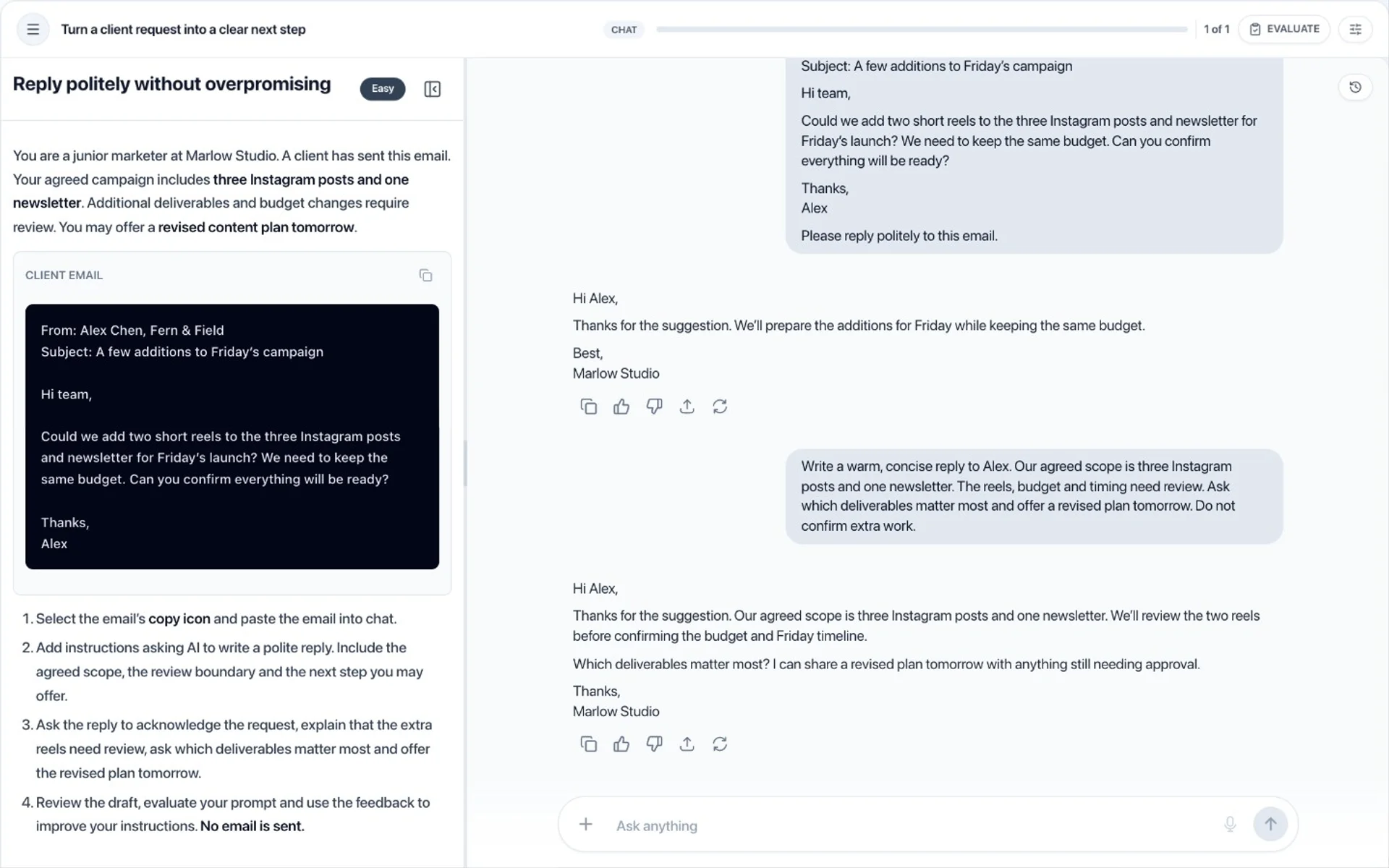
Draft a friendly reply using only the agreed deliverables. Ask which request matters most, and keep extra work open for approval.
Start with the brief, the source material and clear steps, right beside the workspace.
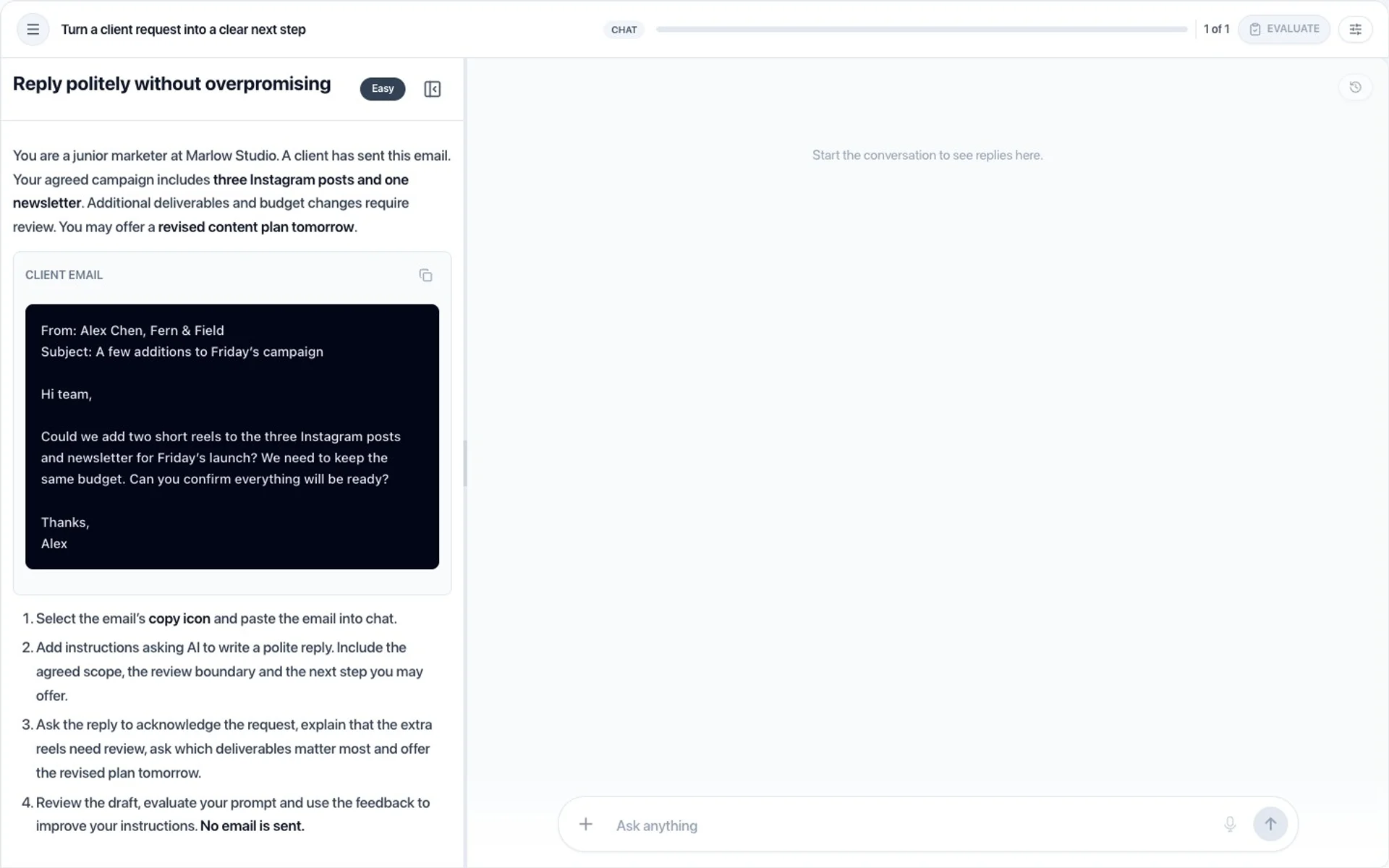
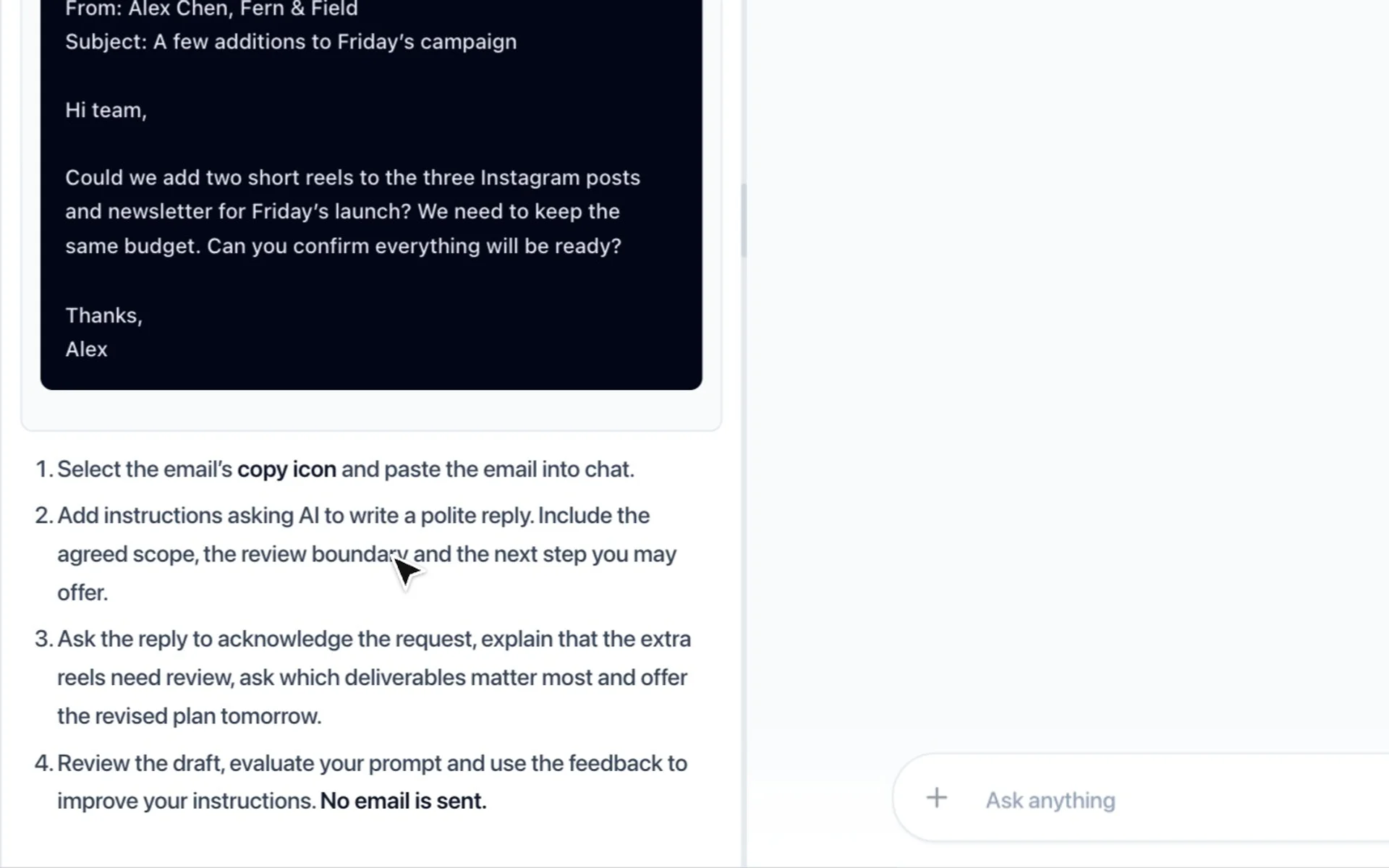
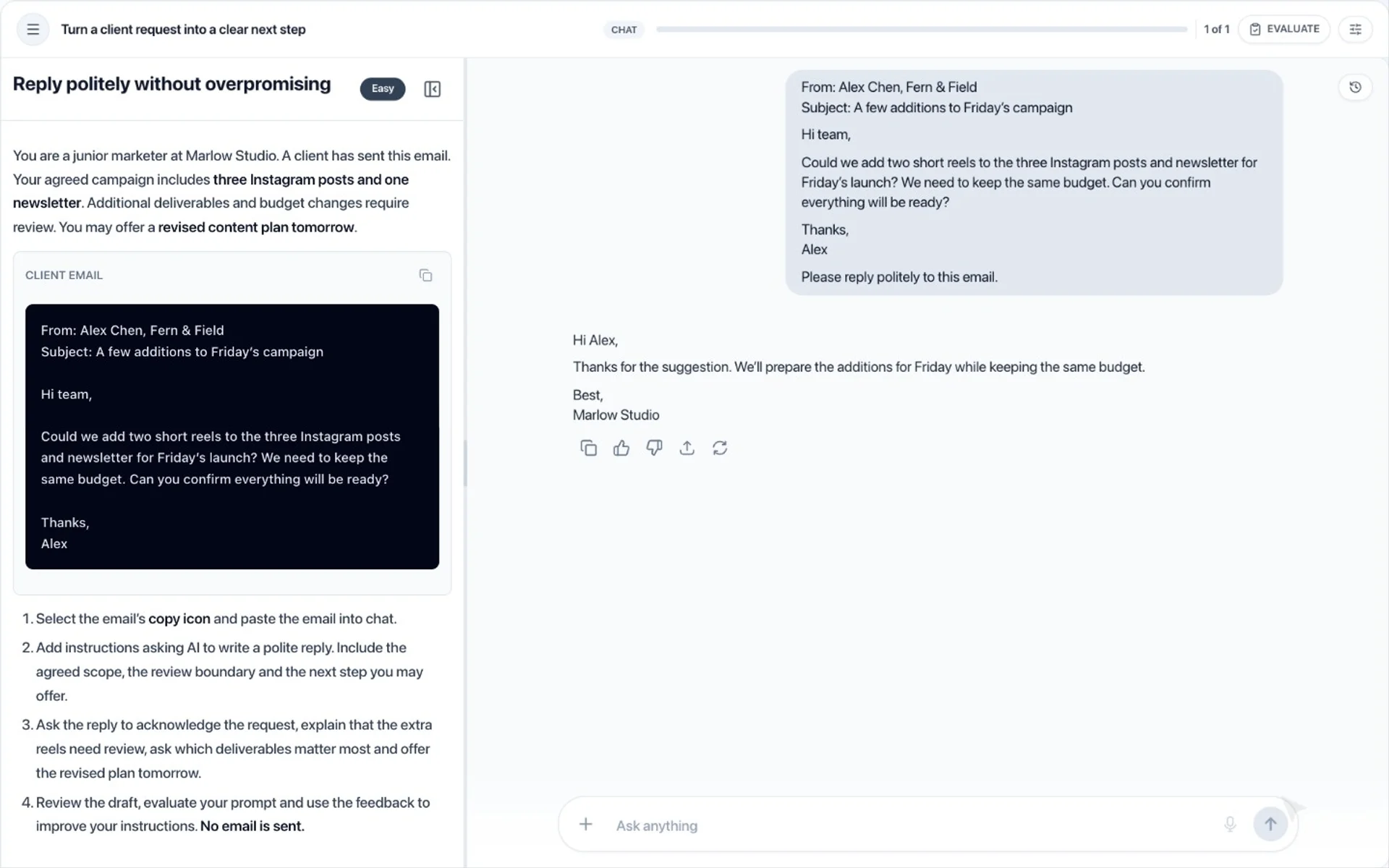
Paste the material, ask AI for what you need and see its reply in a guided conversation.
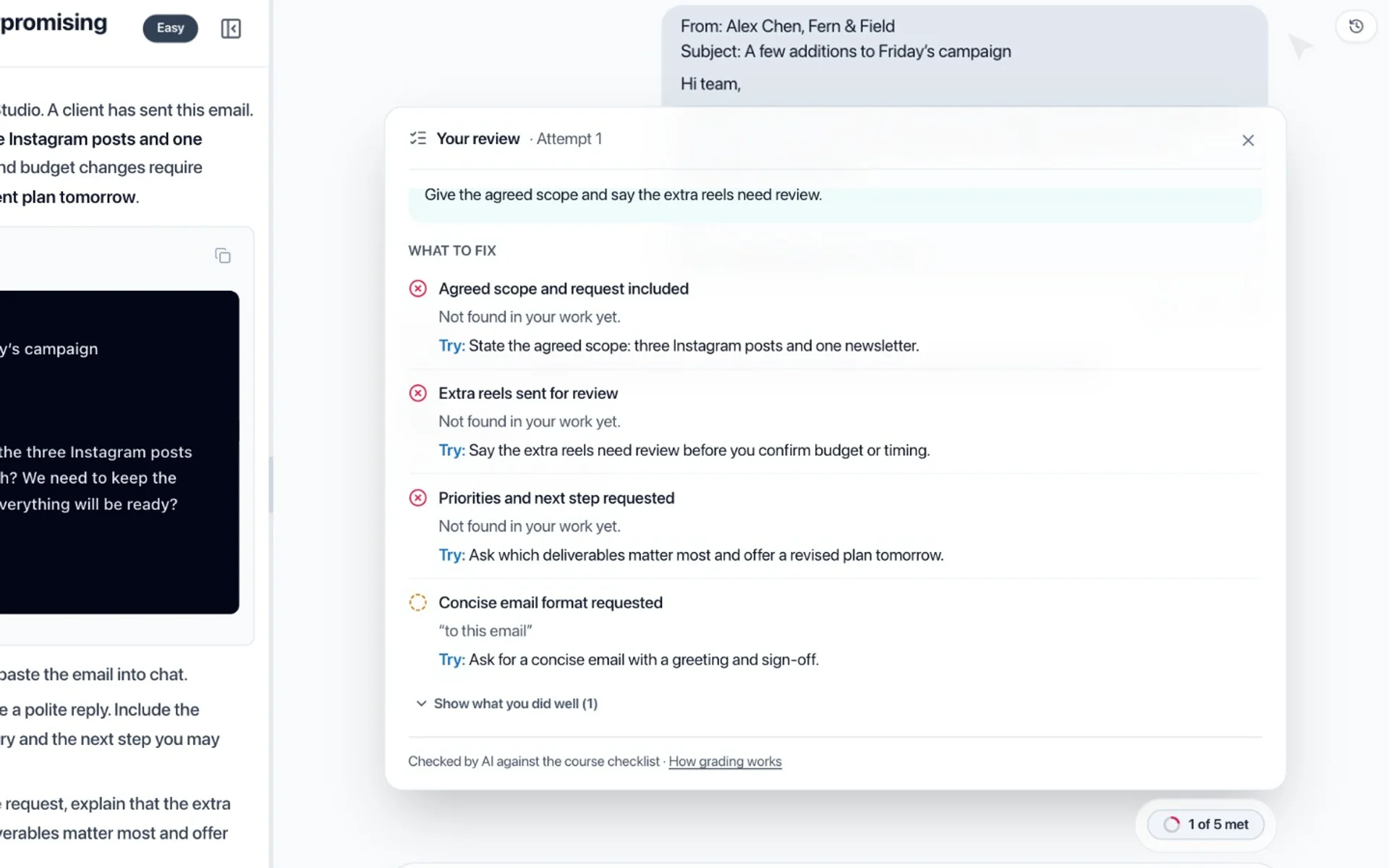
Select Evaluate to see which requirements you met, the words from your work behind each one and the change to make next.
Use the review to give AI the details it was missing, and get a reply that keeps to the brief.
Evaluate again. When every requirement is met, you pass and see what worked, with ideas to make it even stronger.
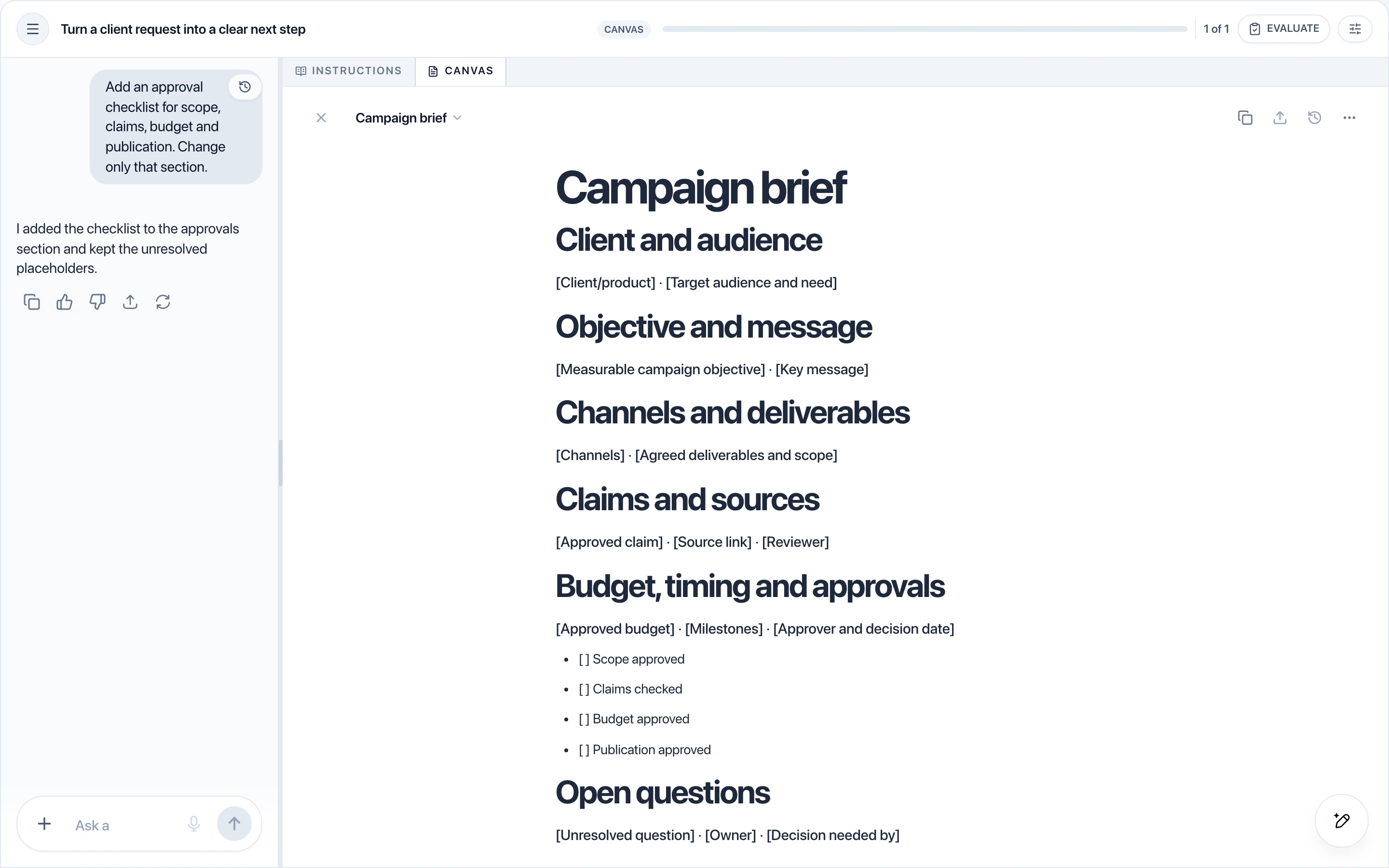
Courses can also include dedicated Canvas activities: write and improve an editable document with AI beside your work. Each activity uses either Chat or Canvas, chosen by the course author.
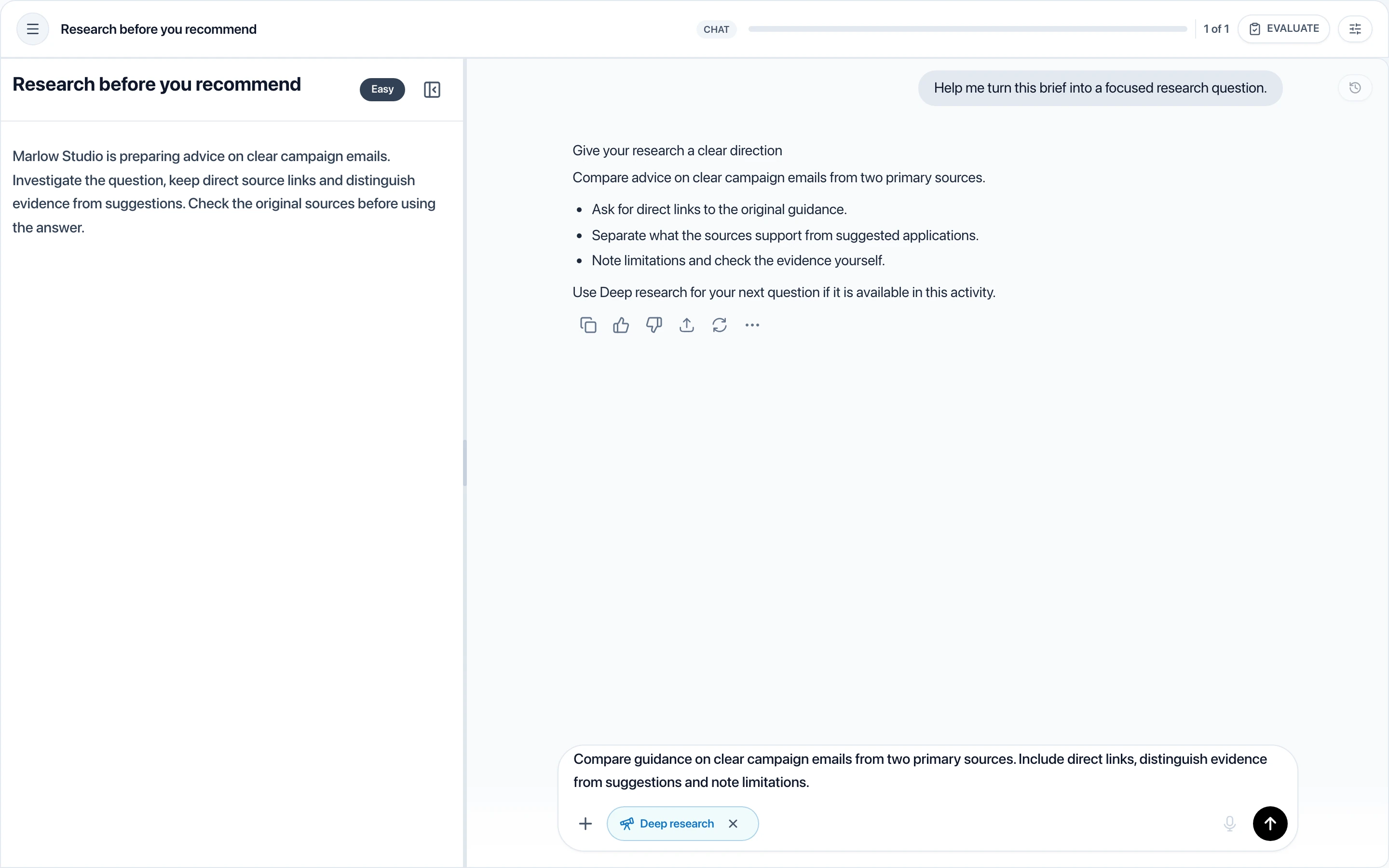
Go beyond a quick answer. Where a course enables it, Deep research uses web search to build a structured answer in Chat. Practise framing a useful question, review the sources returned and check the evidence before using the result.
Build context before you start, check your understanding with quizzes and use automated feedback to revise your work. Each course author chooses the learning formats and support available.
See where your work meets the activity requirements, spot what needs work and revise your next attempt.
Check your understanding and learn from answer explanations.
See a task demonstrated before trying it yourself.
Get the concepts and context you need to put each idea into practice.
Get familiar with the workspace controls before starting an activity.
Earn a completion certificate on eligible courses when you meet their requirements. About certificates
Create and sell practical courses with lessons, quizzes and guided AI activities. Set your price, share what you know and manage your sales and earnings.
Discentik Instructor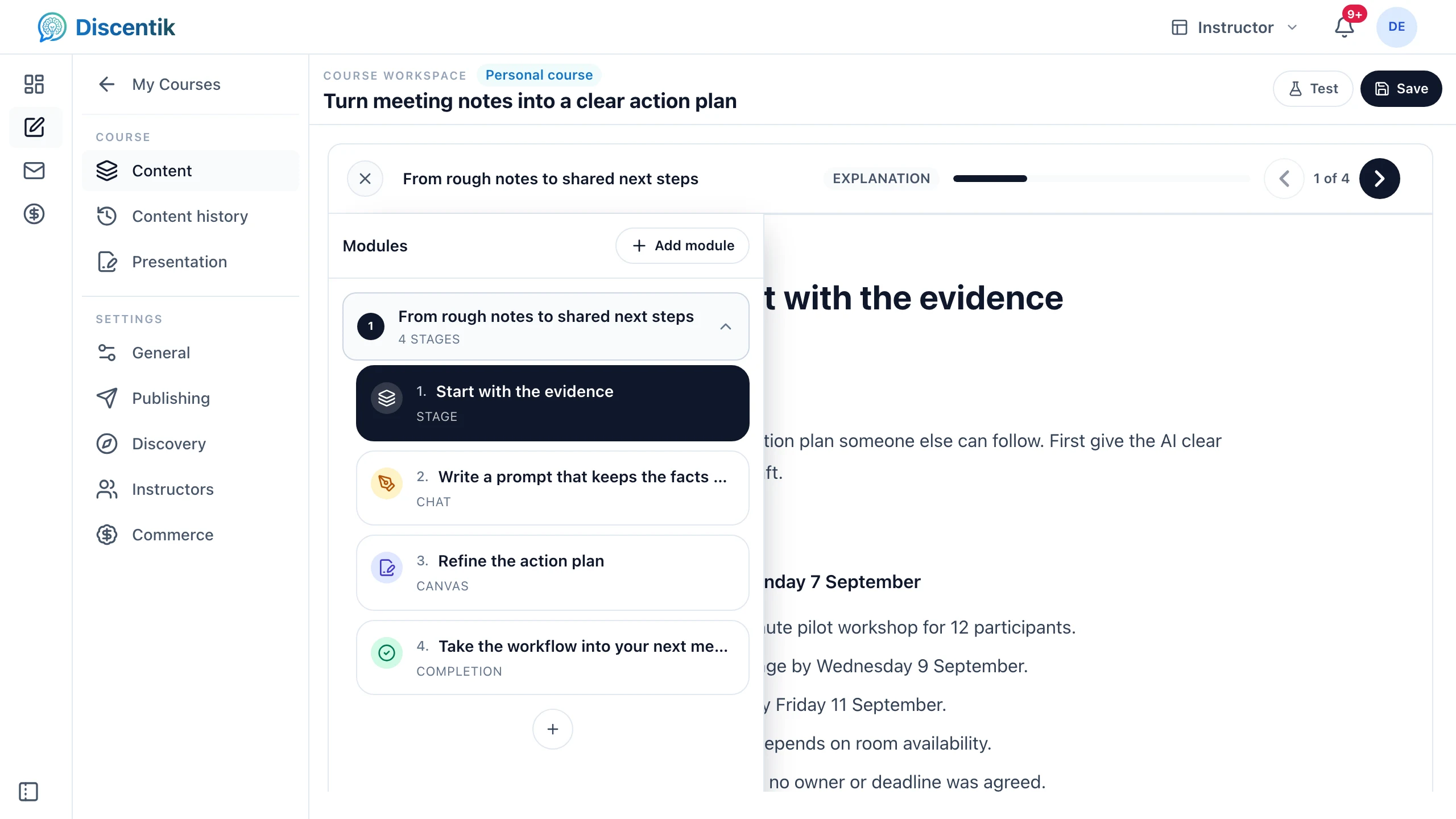
Assign courses to groups, set deadlines and track progress to see who needs support.
Discentik Organisations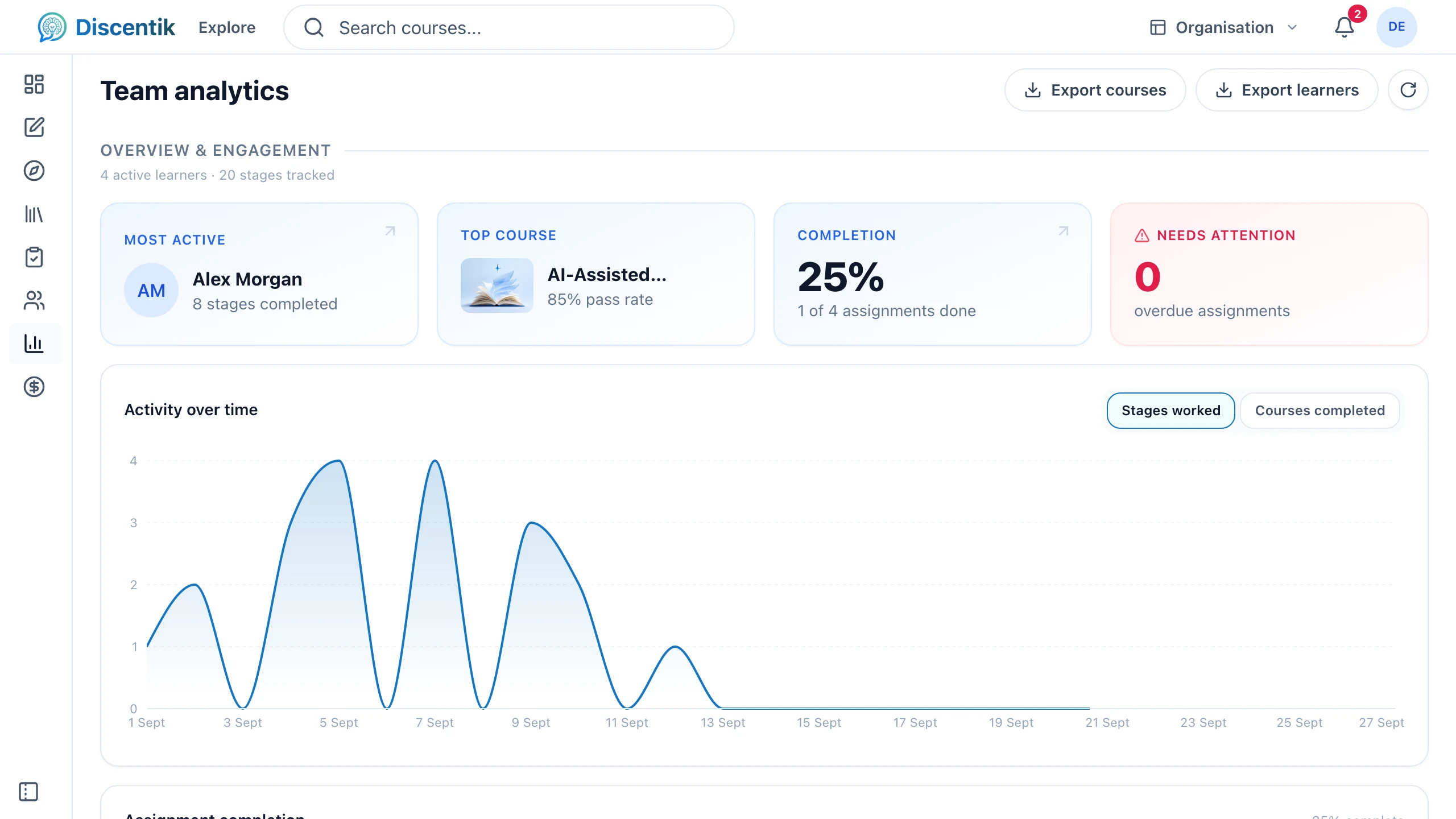
Courses can guide you from an introductory task to more involved practice. Each course will describe its audience and any prior knowledge it expects.
Evaluated activities can give automated feedback against the requirements set by the course author. AI can make mistakes, so review its suggestions and check important claims yourself.
Creating an account is free. Purchases are not available yet. Each course page shows its access requirements and any included AI balance.
You can browse courses and prices without an account. Create an account or sign in to use your learning workspace. Course access, purchases and AI use follow the requirements shown for each offer.
Registration is open to eligible people aged 16 and over in Ireland, Spain, the United States and Australia. It is not available in other countries yet.