
Learn a skill. Put it to work. Review the result.

Follow a guided path through lessons and activities, then pick up where you left off with your conversations, documents and progress saved.

Discentik chat exercise with task instructions, a sample prompt and AI reply, a follow-up draft, and completed feedback left closed.
  1. Learn

    Understand the client request and the principles of a clear reply.

  2. Quiz

    Choose a reply that respects the agreed scope.

  3. AI practice

    Use Canvas to draft a reply to Alex, with AI beside your document.

  4. Feedback

    Start with your next step, see what is still missing, then revise.

Fictional Marlow Studio demonstration. Prepared sample state illustrates the workflow; it is not a measured learner outcome.
01

Learn

Understand the client request and the principles of a clear reply.

Introduction explaining Alex’s request for extra work and how to respond.
Fictional Marlow Studio demonstration. Prepared sample state illustrates the workflow; it is not a measured learner outcome.
02

Quiz

Choose a reply that respects the agreed scope.

Quiz about responding to the same client request, with one answer selected.
Fictional Marlow Studio demonstration. Prepared sample state illustrates the workflow; it is not a measured learner outcome.
03

AI practice

Use Canvas to draft a reply to Alex, with AI beside your document.

Canvas with an AI conversation beside the draft reply to Alex.
Fictional Marlow Studio demonstration. Prepared sample state illustrates the workflow; it is not a measured learner outcome.
04

Feedback

Start with your next step, see what is still missing, then revise.

AI feedback shows the next step and the requirements still missing beside the same reply in Canvas.
Fictional Marlow Studio demonstration. Prepared sample state illustrates the workflow; it is not a measured learner outcome.

Practise giving AI useful instructions

Reply to a client without overpromising. The task panel keeps the source email and approved facts beside your conversation.

  • Copy the supplied email with its copy control, paste it into chat and add your instructions.
  • Use explanations and hints when you need guidance. An example prompt unlocks after two evaluation attempts.
  • Evaluate your prompt against the activity criteria, review the feedback and try again.
Fictional Marlow Studio demonstration. Prepared sample state illustrates the workflow; it is not a measured learner outcome.

Build and improve a document in Canvas

Create a reusable campaign brief with AI chat beside an editable document. Keep client details, source material and approvals visible.

  • Start from the author’s scaffold and ask AI to create the template in the document.
  • Inspect the draft and request a focused change, such as adding an approval checklist.
  • Evaluate the document against the requirements and return to saved work as you progress.
Fictional Marlow Studio demonstration. Prepared sample state illustrates the workflow; it is not a measured learner outcome.

Know what to improve next

Your work is checked against the activity’s requirements. Feedback quotes your own words, shows what is still missing and starts with the change that will help most.

Fictional Marlow Studio demonstration. Prepared sample state illustrates the workflow; it is not a measured learner outcome.

More ways to learn

Courses can complement hands-on chat and Canvas exercises with these learning formats.

Quizzes

Check your understanding and learn from answer explanations.

Videos

See a task demonstrated before trying it yourself.

Explanations

Learn the concepts and context behind each activity.

Guided tours

Get familiar with the workspace before you begin.

Mark your achievement

Earn a completion certificate on eligible courses when you meet their requirements.

About certificates
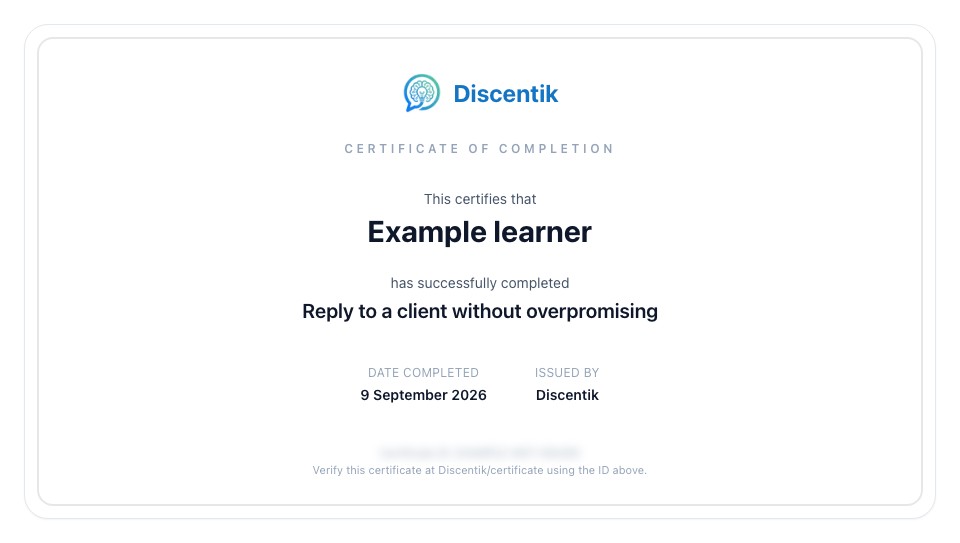
Example course completion certificate for an example learner, with the certificate ID obscured.
Example certificate · completion ID blurred.

Build your AI skills through practice.

Browse the catalogue, create an account and choose a course to start learning.

Read the learner guide