Buy more AI balance
Top up your personal AI balance (credits) from your profile in a few steps.
Updated 14 October 2026
AI balance (some people call it credits) pays for the AI features in your courses,
such as AI conversations and feedback on your work. If you run low, you can add more
yourself.
Add AI balance
Open your avatar in the top-right corner and select Profile.
Select AI usage.
Under Add AI balance, choose a package. Or select Custom and enter
any whole-euro amount from €5 to €100.Select Review purchase, check the amount, then select Continue to secure checkout.
Pay on Stripe's secure page.
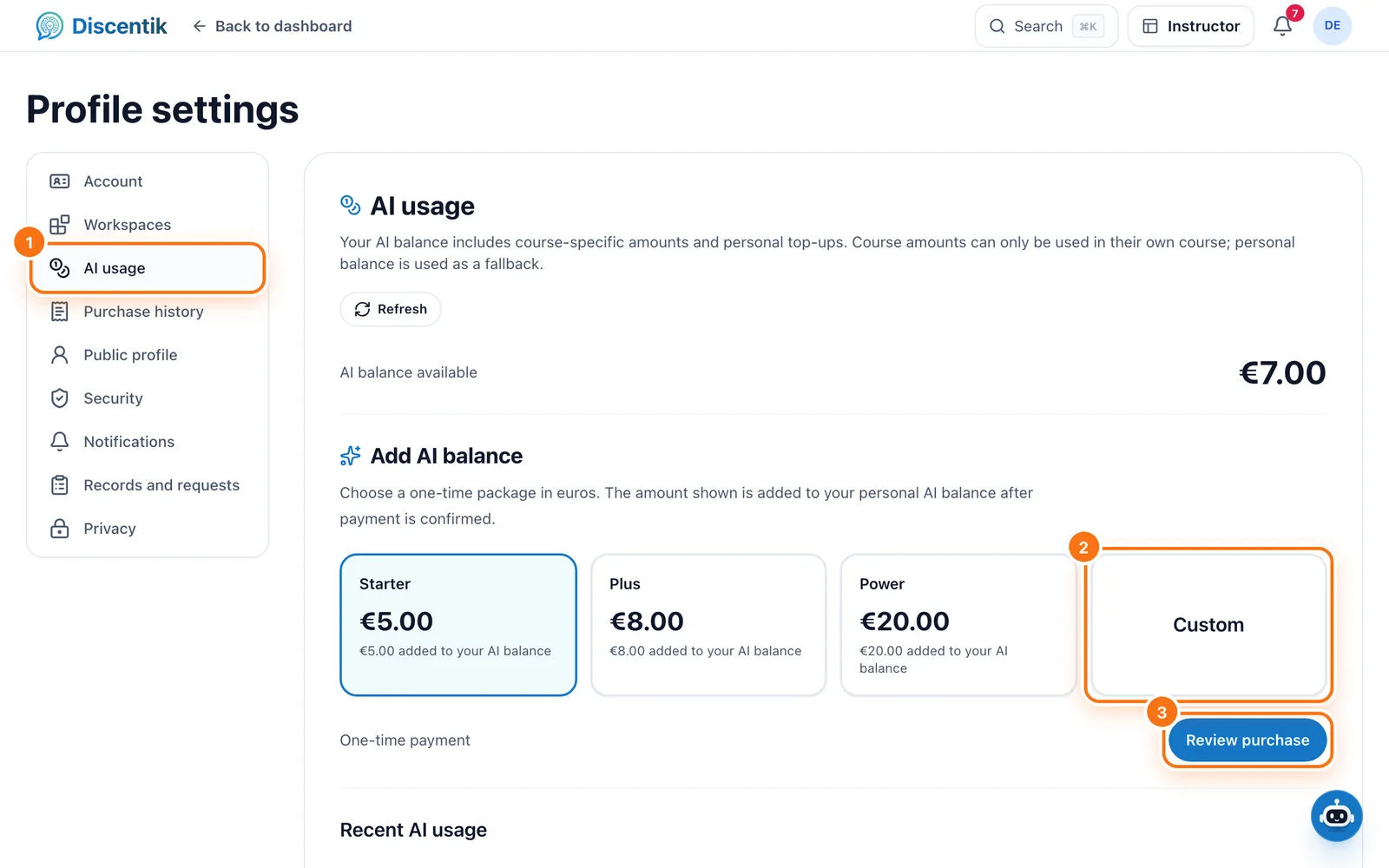
You return to AI usage, where you'll see the amount added to your balance. It can
take a few seconds to appear while we confirm the payment.
How your balance is used
Each paid course usually comes with its own AI balance, which only works in that
course.Your personal top-up works across all your personal courses. We use it once a
course's own balance runs out.Reading lessons, writing on your own and reviewing your saved work never use AI
balance.There's no subscription and no automatic reload. You only pay when you top up.
AI usage also shows your available balance and your recent AI usage, so you can
see exactly what was used.
Good to know
Personal top-ups can't be used in Instructor course previews or for courses assigned
by an organisation.AI balance isn't cash: it can't be withdrawn or transferred to someone else.
Top-ups are available to personal accounts aged 16 or over in Ireland, Spain, the
United States and Australia.
Something went wrong?
You don't see Add AI balance. Top-ups aren't available for your account
yet. Contact support and we'll help.Checkout was cancelled. No payment was taken. You can try again at any time.
You paid but the balance hasn't changed. Select Refresh on AI usage after
a minute. If it still hasn't changed, contact support. Don't pay again.
For the full details, see Understand your AI balance and usage.
Did this page help you?
Your response helps us improve this guide.